Stone Calculator
Heavy-duty aggregate estimator for gravel, crushed rock, or river stone. Input dimensions to output exact cubic yards and total tons needed under a millisecond.
Recommended order includes a 10% allowance for settling, spillage, and compaction.
What is This Tool
This gravel and stone calculator converts your job site measurements directly into the numbers suppliers actually use: cubic yards and tons. Enter the length, width, and depth of the area you need to cover, choose your material, and the tool applies real-world material density to work out exactly how much aggregate to order. It takes the guesswork out of purchasing, so you can avoid paying for a wasted second delivery or running short mid-project.
The calculator now accepts both US customary units (feet and inches) and metric units (meters and centimeters), so it works whether your plans are drawn up in feet or in meters. You can also add a waste allowance for compaction and spillage, giving you both a base tonnage figure and a ready-to-order total in one step.
How to Use
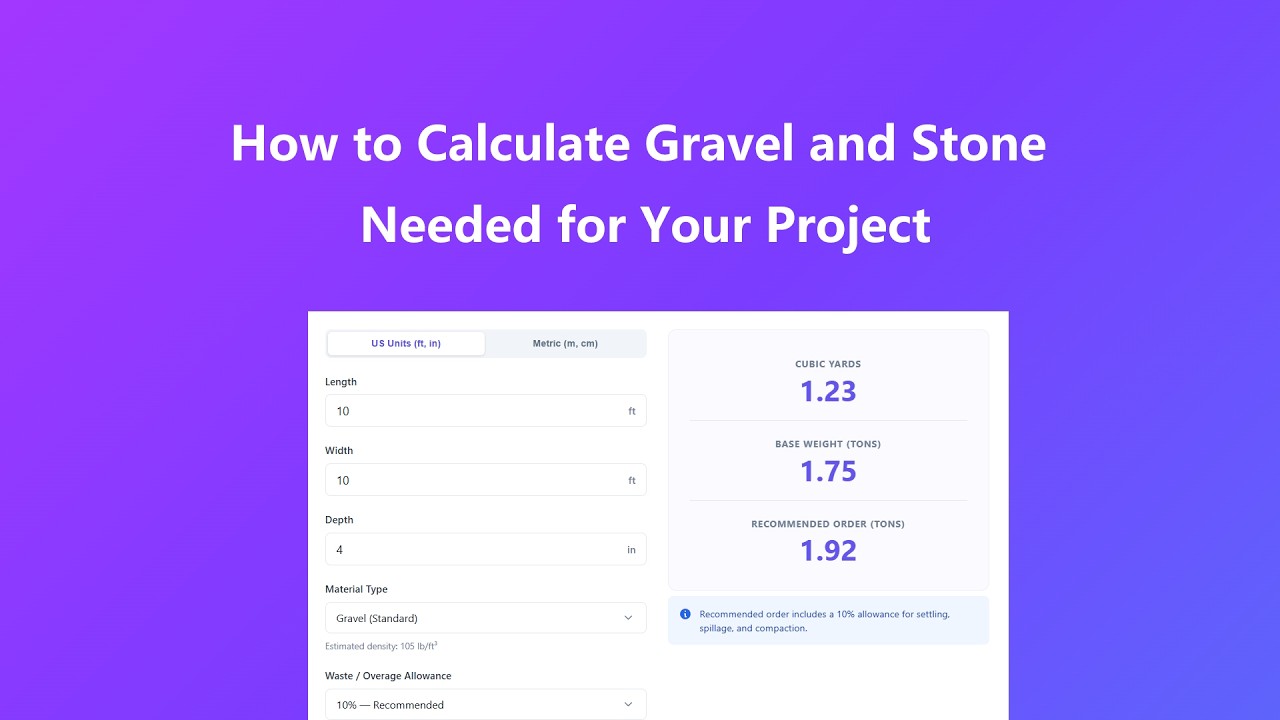
- Choose your preferred unit system — US Units (feet and inches) or Metric (meters and centimeters) — using the toggle at the top of the calculator.
- Enter the length and width of the area you plan to cover, matching your actual site measurements.
- Enter the depth of the material layer you need, such as 2 inches for a top-dressing or 4–6 inches for a driveway base.
- Select the material type that matches what you're ordering, so the calculator applies the correct density for that stone.
- Pick a waste allowance percentage to cover compaction and spillage, then click Calculate to see your cubic yards, base tonnage, and recommended order total.
Key Features
- Switch between US Units and Metric input at any time — your entered measurements convert automatically, so you never lose your numbers.
- All calculations run instantly in your browser, with live results updating as you adjust length, width, or depth.
- Built-in density presets for gravel, crushed stone, river rock, crushed concrete, and lava rock give accurate tonnage without needing outside reference charts.
- An adjustable waste allowance lets you generate both an exact base figure and a realistic order quantity in the same calculation.
- A clean, responsive layout keeps the calculator easy to use on a phone at the job site or on a desktop back at the office.
- No measurements or project details are ever sent to a server — everything is calculated locally in your browser for full privacy.
Common Use Cases
- Estimating gravel for a residential driveway before placing an order with a local quarry or landscape supplier.
- Calculating crushed stone volume for subgrade or foundation prep where accurate depth and density matter.
- Landscaping contractors preparing quick, defensible material quantities for client quotes and proposals.
- Sizing aggregate for French drains and other drainage installations that call for a specific loose-fill volume.
- DIY homeowners planning a backyard patio, walkway, or garden bed and scheduling a bulk yard pickup.
Frequently Asked Questions
Why does the total weight change depending on the material I choose?
Different stone types pack differently. Porous materials like lava rock take up more space for their weight, while dense materials like river pebbles pack tightly and weigh more per cubic foot. That's why the calculator uses a separate density value for each material option.
Can I enter my measurements in meters instead of feet?
Yes. Use the unit toggle above the input fields to switch to Metric, and the length, width, and depth fields will switch to meters and centimeters. Your results are still reported in cubic yards and tons, since that's how most US suppliers price and deliver aggregate.
How does the waste allowance work?
The calculator first works out the exact base volume and weight from your dimensions. The waste allowance you select is then added on top of that base tonnage to give a recommended order total that accounts for compaction, spillage, and minor site irregularities.
Can I use this for irregularly shaped areas, like curved flower beds?
Yes. For curved or irregular shapes, measure the average length and average width across the area, then enter those figures. This will give you a close, safe estimate for ordering material.
What formula does the calculator use?
It multiplies length by width to get the surface area, multiplies that by depth to get volume, then divides by 27 to convert cubic feet to cubic yards. Weight is calculated by multiplying volume by the material's density and converting to tons.
Is there a cost to use this calculator?
No. This tool is completely free to use, with no sign-up required, for contractors, dispatchers, and homeowners who need a quick material estimate.
Advanced Tips
- Loose gravel compresses once it's spread and compacted, so the delivered volume will settle lower than the loose volume you calculated — this is exactly what the waste allowance is meant to cover.
- Check your supplier's maximum load capacity against your calculated tonnage before scheduling delivery, especially for larger driveway or foundation projects.
- If your site isn't perfectly level, add a small extra margin to your depth to make sure you have enough material to reach a consistent finished grade.
- When switching between US Units and Metric, double-check the converted numbers look reasonable for your site before ordering — rounding is applied to two decimal places for readability.